


Blog
Important points in 3D printing small parts

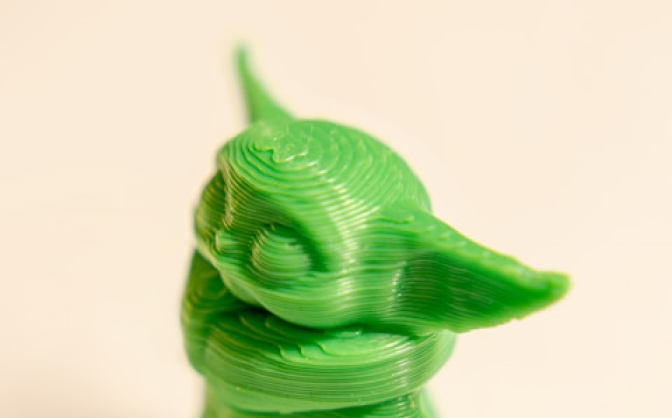
In the world of resin 3D printing, printing small, very delicate parts is one of the most sensitive and specialized areas. Many operators assume that the smaller the part, the easierIn the world of resin 3D printing, printing small, very delicate parts is one of the most sensitive and specialized areas. Many operators assume that the smaller the part, the easier the printing process, but in practice, small models are the most sensitive to machine settings, resin type, exposure, and mechanical conditions of the printer.
In this article from Nikas 3D, we will discuss the most important specialized tips for printing small parts with a resin 3D printer.
Why is printing small parts more difficult?
In resin printing, the smaller the dimensions of the model and the finer its details, the more often the following errors are seen:
Loss of fine details
Model sticking to FEP
Part deformation
Fine holes and grooves closing
Increase in the actual dimensions of the model compared to the file
Supports breaking during printing
Details burning due to high exposure
For this reason, printing small models requires more precise settings and a more suitable resin.
Choosing the right resin for small parts
One of the most important factors for success in printing delicate parts is choosing a resin with high precision and controlled shrinkage.
Resins that have the right viscosity, controlled light diffusion, and higher dimensional accuracy will perform much better in printing fine details.
For example:
Standard resins are suitable for general models.
Engineering and ABS-Like resins are used for more resistant parts.
In dental applications, specialized Castable and Dental resins offer higher precision.
Nikas 3D products have been selected with a focus on surface quality, detail accuracy, and compatibility with LCD/MSLA printers to provide more stable performance in printing delicate models.
The most important settings for printing small models
- Reducing Layer Height
It is recommended to use a lower layer height for printing delicate parts:
50 microns → General use
35 microns → Better details
20 to 30 microns → Very detailed models
The thinner the layer, the better the details are recorded, but the printing time increases.
- Correctly setting the Exposure Time
High exposure causes the UV light to diffuse in the resin and destroy fine details. This is especially important for holes, small writings and dental parts.
Symptoms of high exposure:
Closing holes
Details sticking together
Increase in model dimensions
Softening of corners
Symptoms of low exposure:
Brittleness
Incomplete printing of the model
Separation of supports
Correct exposure setting should be done based on the following:
UV power of the printer
LCD type
Resin color
Ambient temperature
- Correct angle of the model in resin printing
Placing the model directly on the Build Plate usually reduces the quality of printing small parts.
In many cases, an angle of 20 to 45 degrees causes:
Less pressure on the layers
Better support placement
Cleaner final surface printing
Reduces the possibility of failure
Professional operators usually check several different angles before printing to achieve the best result.
- Support placement in delicate models
Improper support is one of the main reasons for failure in printing small parts.
In delicate models:
The tip of the support should not be too thick.
The number of supports should be sufficient.
Sensitive points should be reinforced.
The distance between the supports should be principled.
The use of heavy supports will usually damage the surface of the model.
The effect of ambient temperature on printing small models
Low temperature increases the viscosity of the resin and reduces the quality of printing.
In general:
Ideal resin printing temperature: around 22-28°C
Cold environment = poorer detail
Very hot environment = reduced dimensional stability
In precision applications such as dental and casting, temperature control is of utmost importance.
The importance of LCD and FEP film health
Even the best resin and settings will not produce the desired results with a weak LCD or damaged FEP.
Signs of poor FEP:
Lines on the model
Layer separation
Abnormal adhesion
Reduced detail quality
Also, a drop in UV power in the LCD can change the actual print settings.
Proper washing and curing of small parts
Delicate parts are very sensitive to excessive washing.
Important points:
Do not wash for too long.
Do not apply direct air pressure to very thin parts.
Over-curing will make the model brittle.
Dental and Castable parts must be cured according to the resin protocol.
Summary
Successful printing of small parts in resin 3D printing requires a combination of:
The right resin
Precise settings
Proper support
Appropriate environmental conditions
And operator experience
A large part of the final quality of delicate models depends on the correct exposure setting, printing angle and resin selection. For this reason, using high-quality raw materials that are compatible with the printer is of utmost importance.
To learn more about specialized resin products, you can visit the Nikas 3D website.

